Mockup gallery
Enter the password to continue.
Nurses at Singapore General Hospital were scheduling dialysis slots by hand in Excel, one day at a time. This is how a design thinking engagement with IBM's Data Science Elite team turned that into an AI-assisted scheduling tool built and proven in four sprints.
Singapore General Hospital is Singapore's largest tertiary hospital, an academic institution that integrates clinical care with research and education. Its Renal Dialysis Centre was seeking a way to speed up manual scheduling, reduce reliance on nurses' judgment calls, and handle same-day changes that a fixed, next-day-only process couldn't absorb.
Four things stood in the way: scheduling lived in an Excel file that only planned one day ahead; there was no consistent method behind it, just each nurse's own experience; last-minute "replanning" was constant given how quickly patient conditions change; and patient details were manually retyped from the hospital's EMR into that same spreadsheet.
"How might we make the hemo-dialysis scheduling process less manual and more automated, so it's a sigh of relief, not a daily grind?"
The users were nurses and the patient service associate (PSA) team, struggling with a process that was highly manual, slow, and hard to adapt whenever a patient's status changed.
Solving it well would raise patient service levels and free nurses and PSAs from repetitive admin, shifting that time toward higher-value care.
Design thinking facilitator
Ran the workshop that aligned stakeholders around the business-centric outcome and validated the problem statement.
UX & interaction designer
Built interactive prototypes, defined use cases, and validated them through usability studies, interviews and surveys.
Visual designer
Translated requirements into a style guide, icons, design patterns and pixel-perfect interfaces.
Confirmed the executive sponsor and mapped the domain use cases worth focusing on.
Understood the as-is process and top pain points, and scoped the technical requirements.
Identified a series of MVP candidates and agreed the next MVP experiment to run.
Defined a secure, minimal viable architecture and wrote the user stories behind it.
Tested the hypothesis via a learning-driven release, and built the UI components it needed.
Iterated across multiple MVPs until the stated business outcome was achieved.
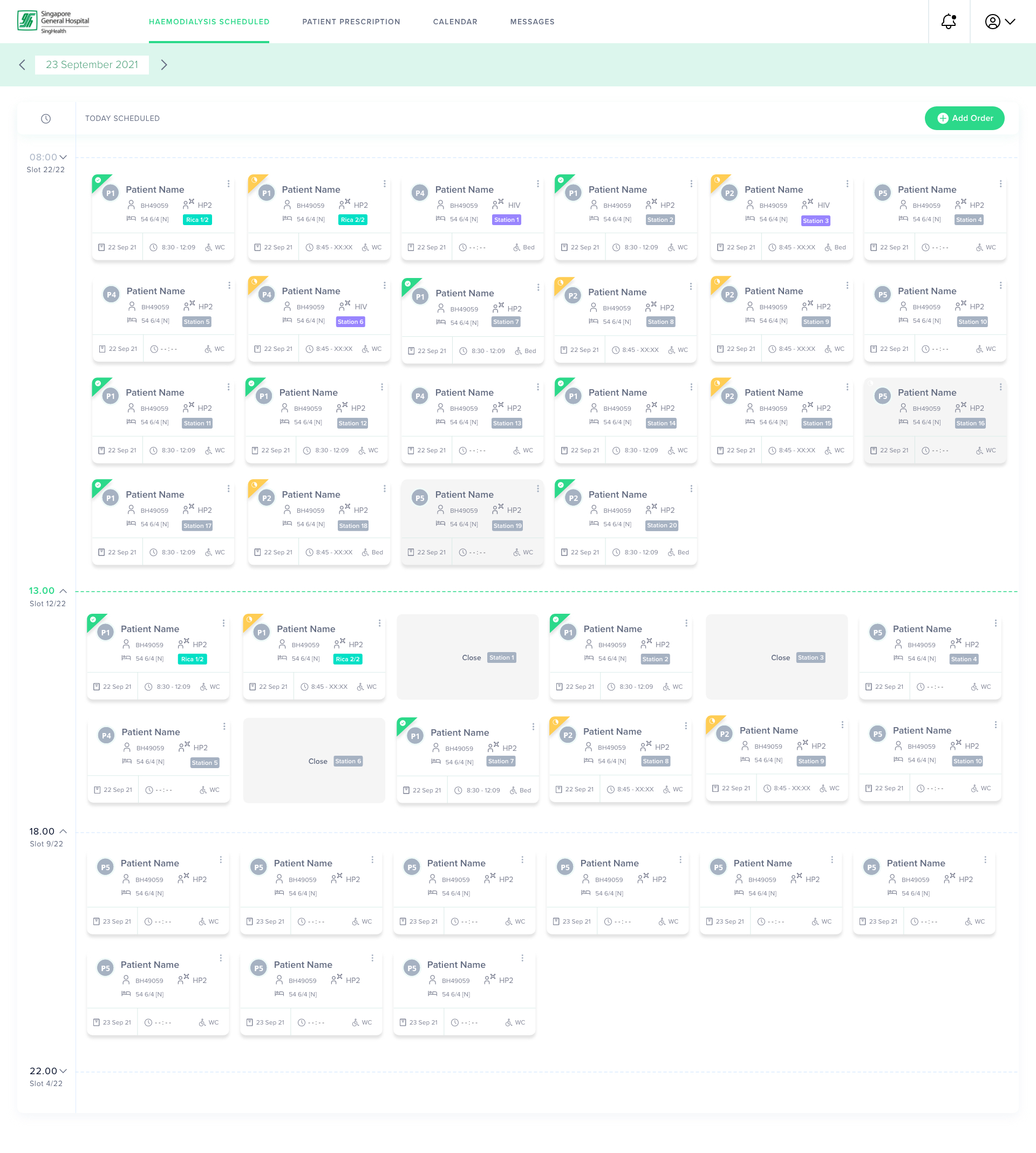
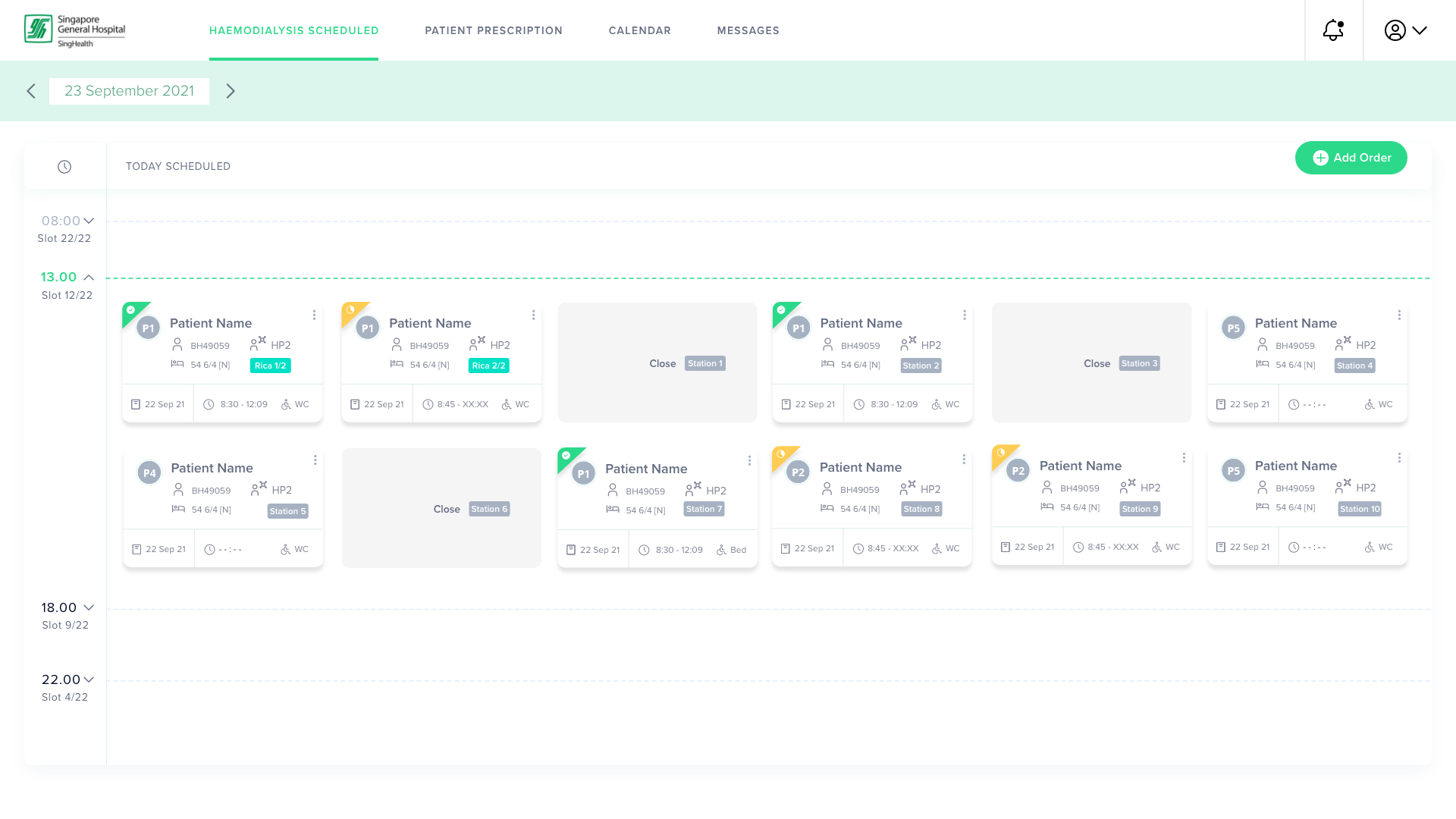
Phase 1 (MVP focus). A scheduling solution that can create and update a next-day schedule on the day of operation, absorbing dynamic changes in patient condition or resourcing as they happen.
Phase 2. Integrate SGH's internal EMR system directly into the scheduling tool, removing the manual transcription step from nurses entirely.
IBM and SGH co-created and co-executed the MVP in an agile scrum model across four sprints, proving out the core hypothesis: the tool sped up daily schedule creation, replaced ad-hoc judgment with a consistent machine-learning recommendation, and supported the full range of dynamic scheduling variables and parameters.
27, with 3–4 years of experience, Nina is in charge of scheduling both fixed and dynamic dialysis patients. She has to hold a lot in her head while scheduling, on top of regularly calling and coordinating with other departments, especially for higher-priority (P1/P2) patients.
She needed the process to be less manual, and needed support to lighten her day-to-day workload.
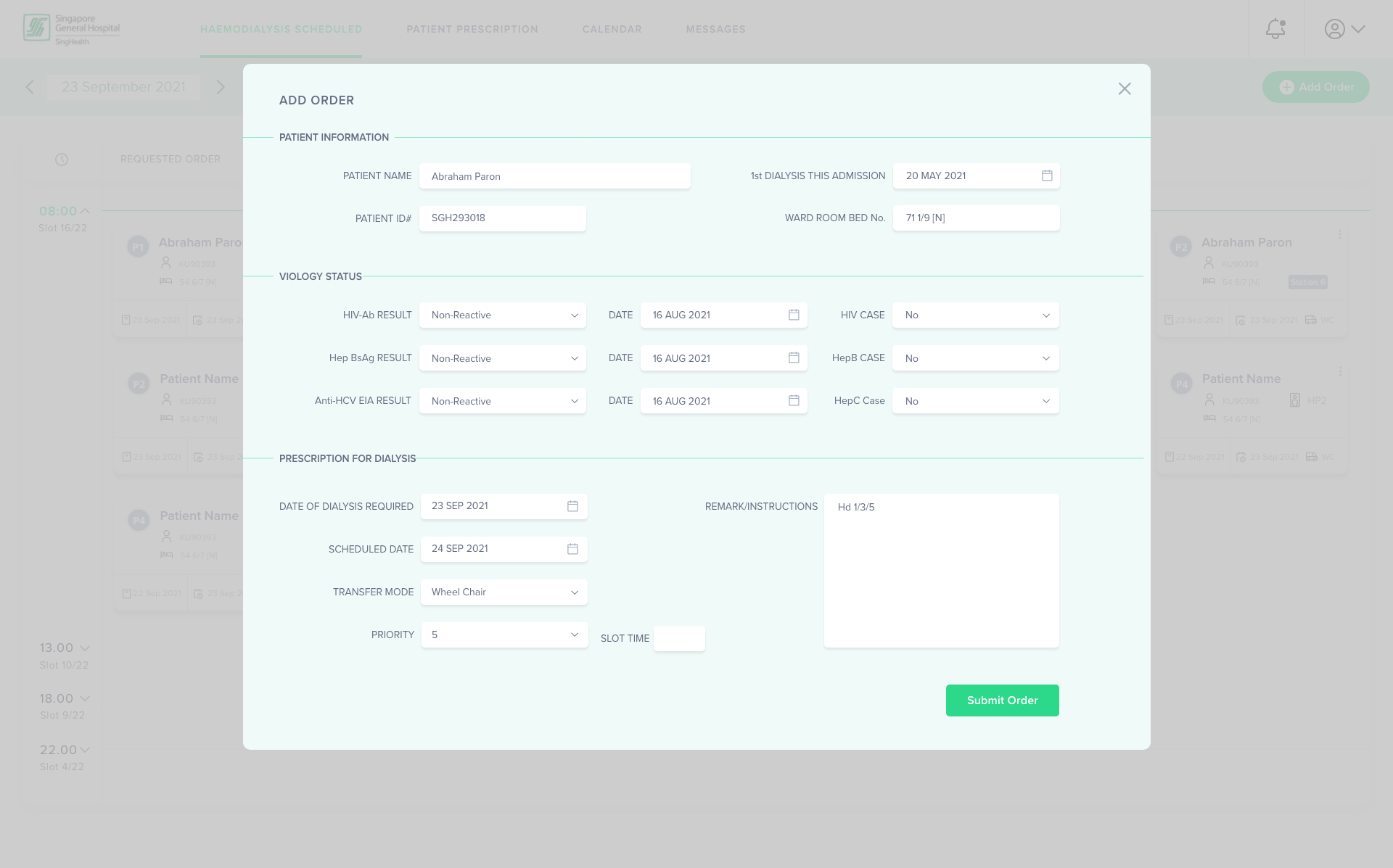
Every schedule started the same way, a doctor's prescription, worked through by hand. A fixed booking (more than 24 hours out) went straight into next-day planning. A dynamic booking, a same-day, priority 1 or 2 request, sent the nurse checking urgent time slots, calling the on-call physician to confirm availability, and juggling other patients' slots to fit it in, all before entering details, assigning a machine and finalising the schedule board by hand.
Manual process. A fresh Excel sheet, typed by hand, every single day.
Regular coordination. Constant calls across inpatient wards just to confirm patient status.
Unstructured way. No forward planning, only next-day fulfilment, one day at a time.
Dynamic change. Managing shifting patient status and ad-hoc physician requests takes real experience to get right.
Monotonous & repetitive. Entering and confirming the same kinds of details daily wears the team down.
Future vision
Reduce human intervention from nurses and PSAs so they can focus on higher-value work. Support dynamic changes with a recommendation for the most optimised schedule. Bring consistency to the scheduling approach, and streamline the information flow around it.
How we'd get there
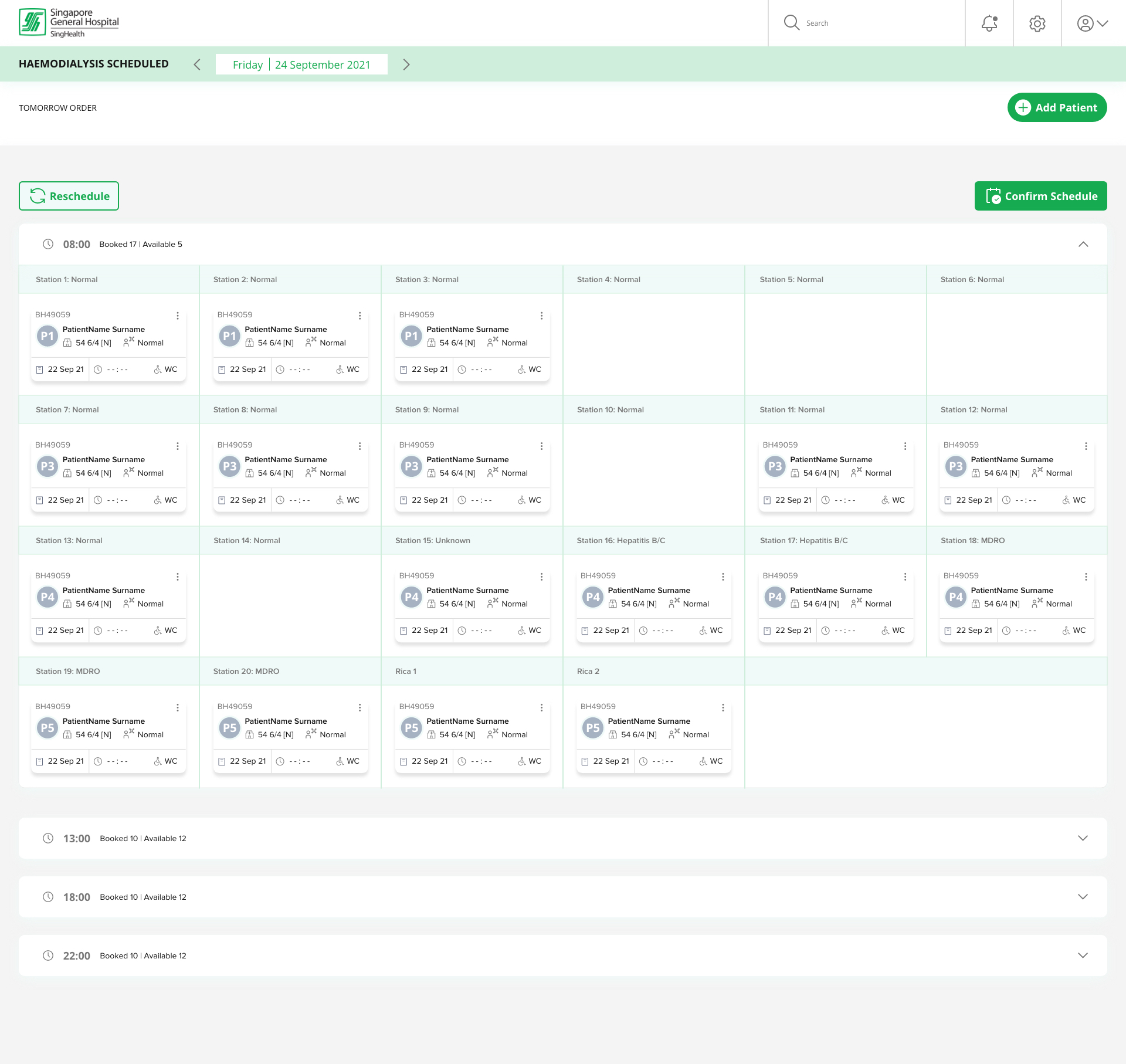
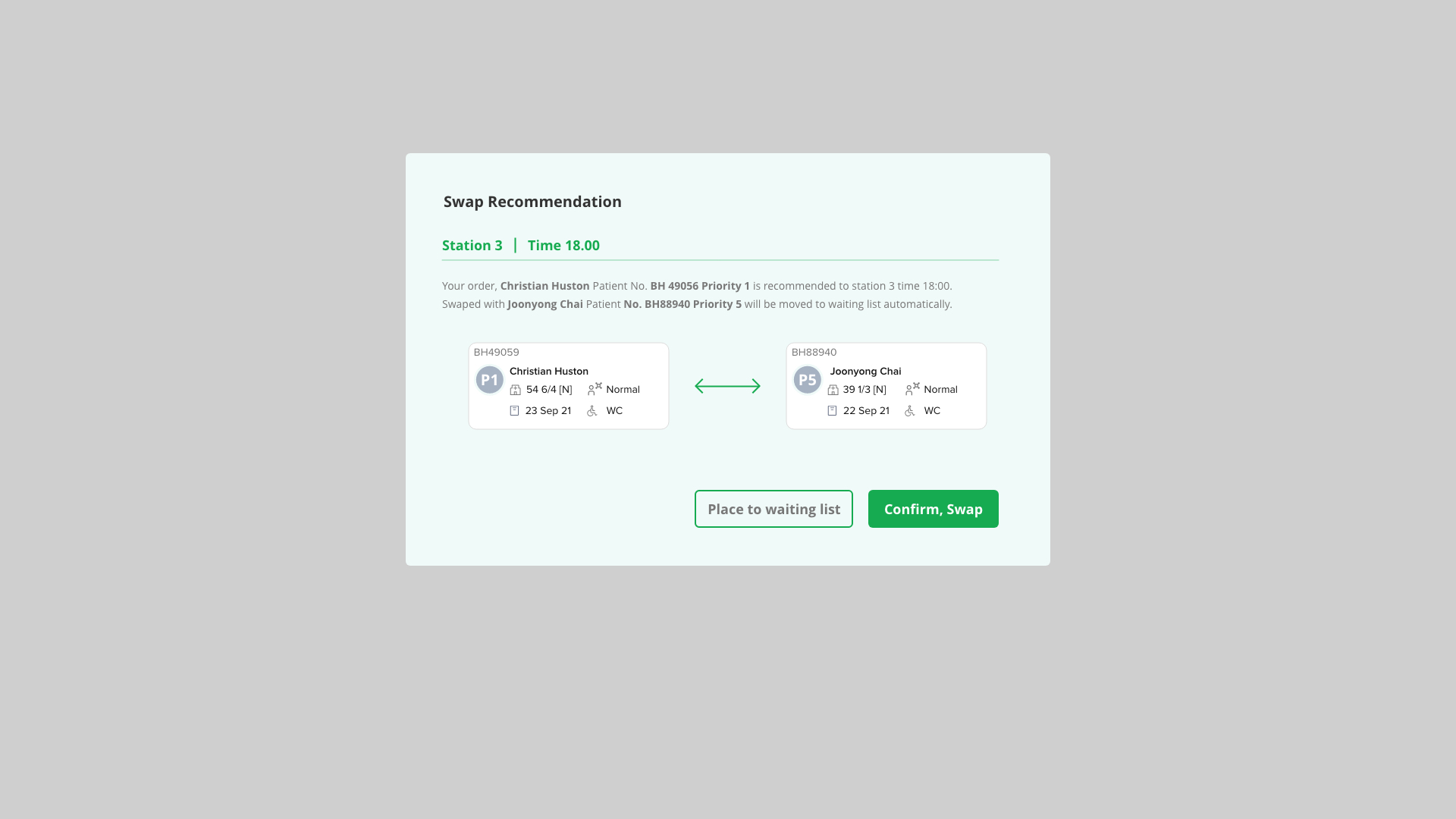
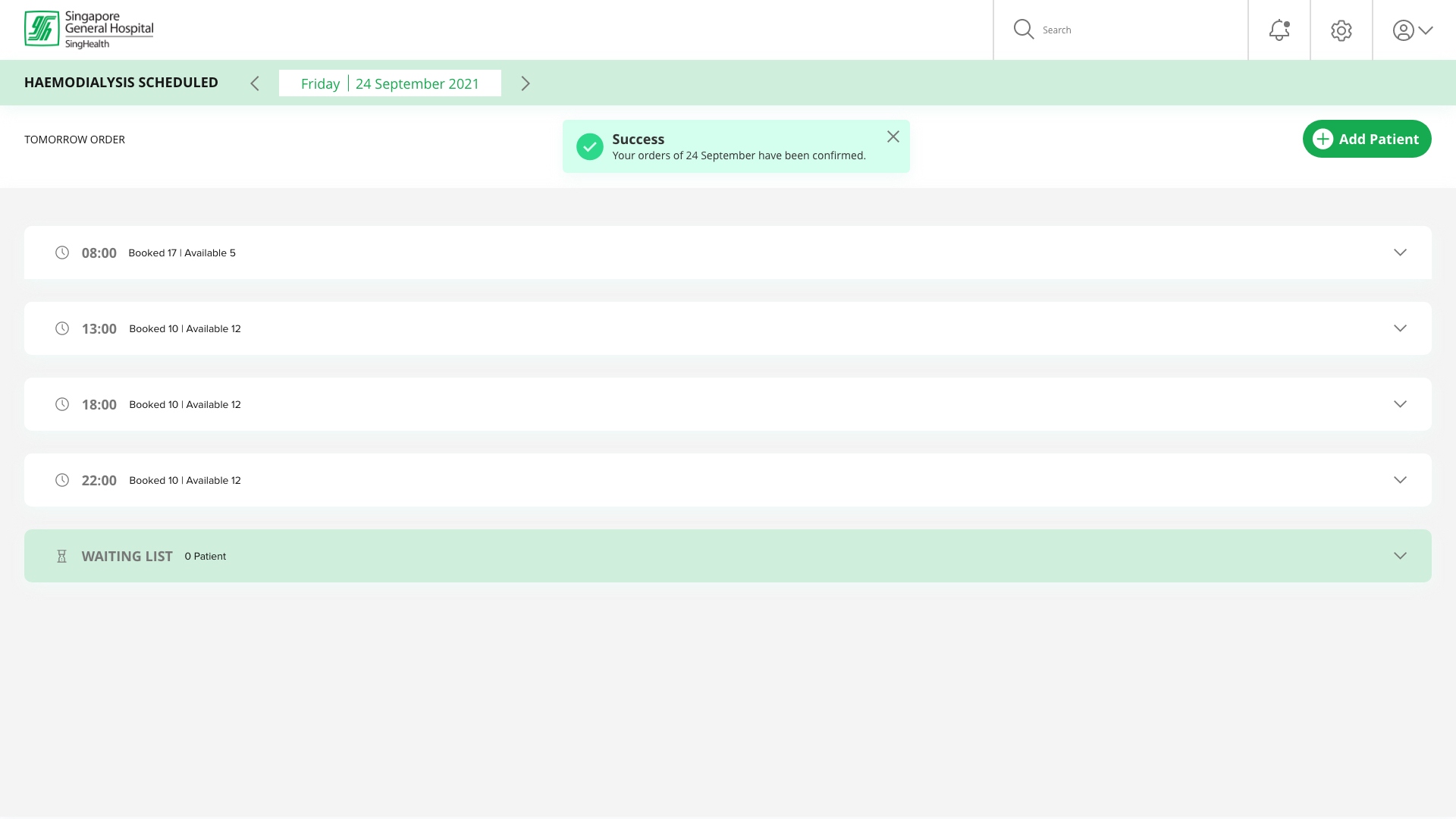
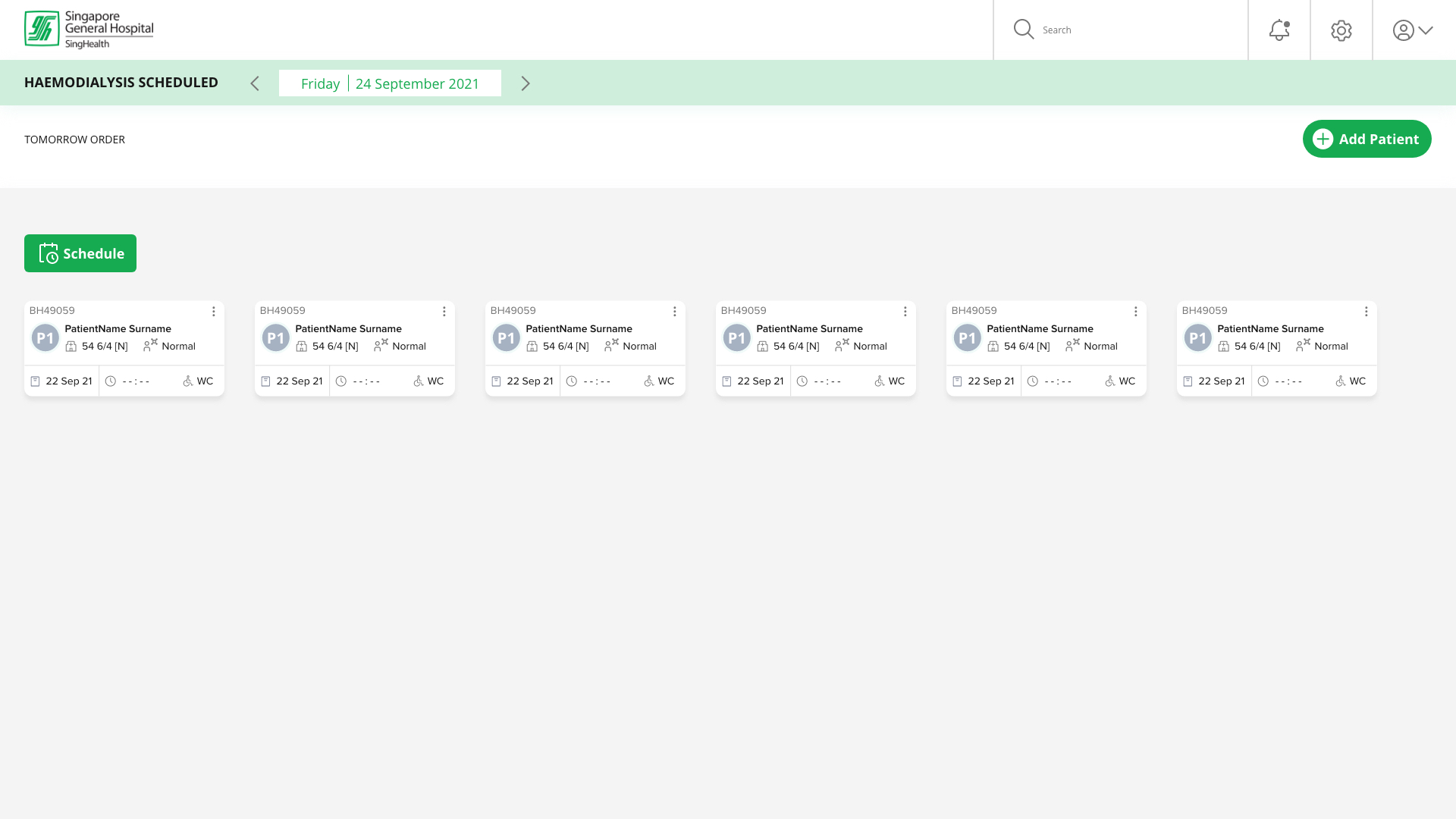
Phase 1 MVP: capture same-day and next-day orders with prescription details, generate a next-day bulk schedule, recommend a slot for same-day patients, and let the nurse override any recommendation. Phase 2: integrate with SGH's EMR and other internal systems.
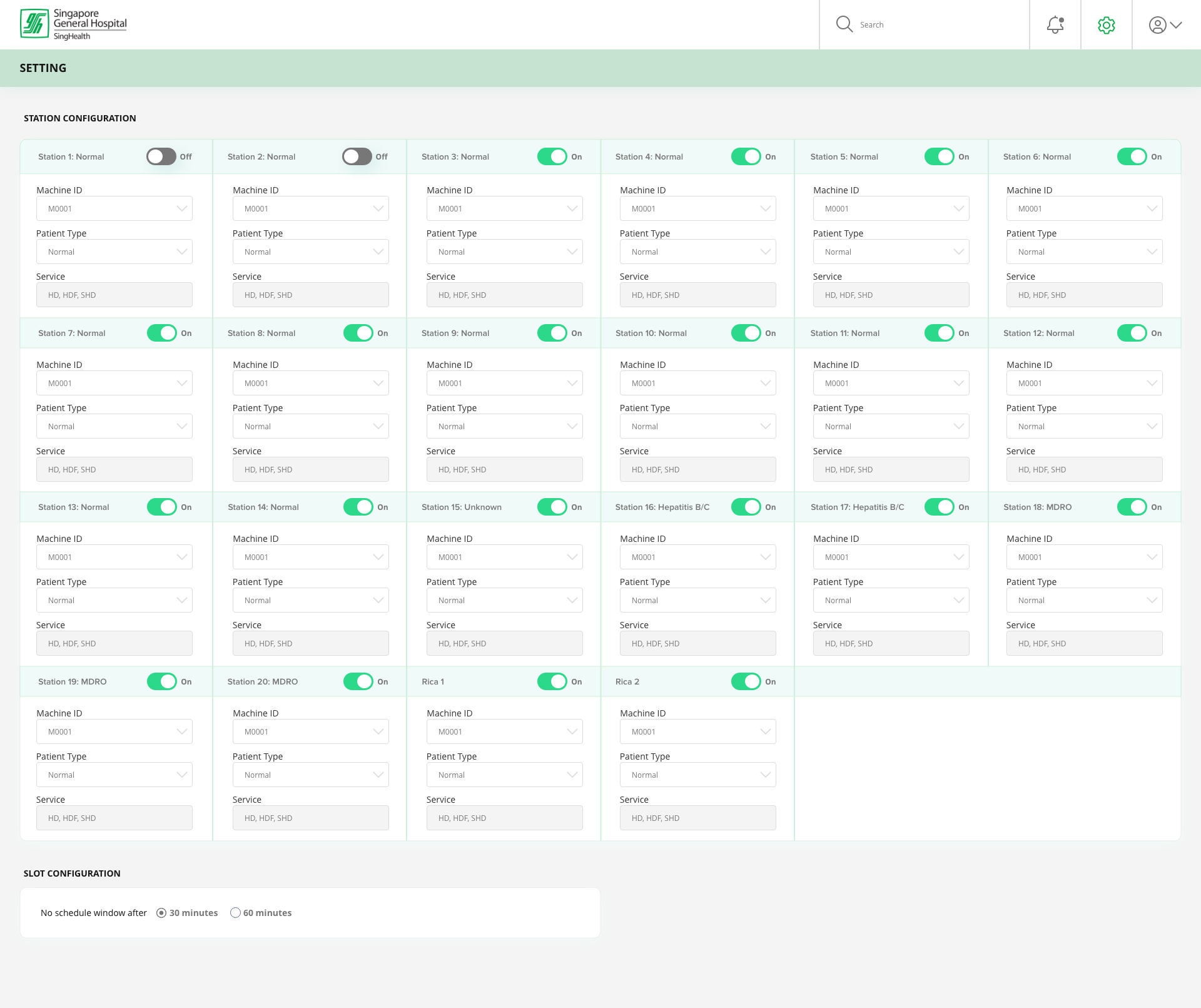
Nina receives the doctor's prescription and sets the day's parameters, nurses on shift, stations available, station locations, for the scheduling tool. The tool returns a recommendation, which she can review and overwrite if needed. The whole nursing team shares a single view of the schedule, so any change is reflected immediately, with the system alerting Nina if a rescheduling or swap is needed and recalibrating once she's done.
"Nina will have a smart scheduling tool with automation capabilities using AI and machine learning to slot patients for dialysis, improving patient service level by reducing human effort."
Success would show up two ways: user satisfaction, measured by survey, and efficiency, how long it actually takes a nurse to complete the task.
We assumed that…
If that wasn't true…
The team prioritised assumptions first by how known or unknown they were to us at the time, and second by how much impact each assumption and risk would have on the success of the solution, plotting them across a known/unknown, high/low-impact matrix to decide what to validate first.
Productivity. Building the next-day bulk schedule by hand in Excel took Nina and the team roughly an hour each morning, plus another stretch of time per same-day dynamic request, working the phones to confirm slots, priority and machine status. The Smart Scheduling tool's recommendation engine collapses most of that into a single review-and-confirm step.
Modelled across RDC's current patient volume, that recovers an estimated 1,000–1,200 nurse hours a year, time that shifts back to patient-facing care instead of spreadsheet upkeep.
Risk & operations. Removing manual re-entry also lowers the chance of a transcription error or a double-booked machine, the kind of mistake that's costly to catch late in a dynamic, high-priority (P1/P2) case. I modelled this alongside Sales and the Data Science Elite team, sanity-checking assumptions against SGH's stated shift patterns and station counts.
Faster, more consistent scheduling also means fewer ad-hoc calls between the Renal Dialysis Centre and inpatient wards, and a more predictable day for nurses managing multiple priority levels at once.
Placeholder figures, for illustration only, pending confirmed numbers.